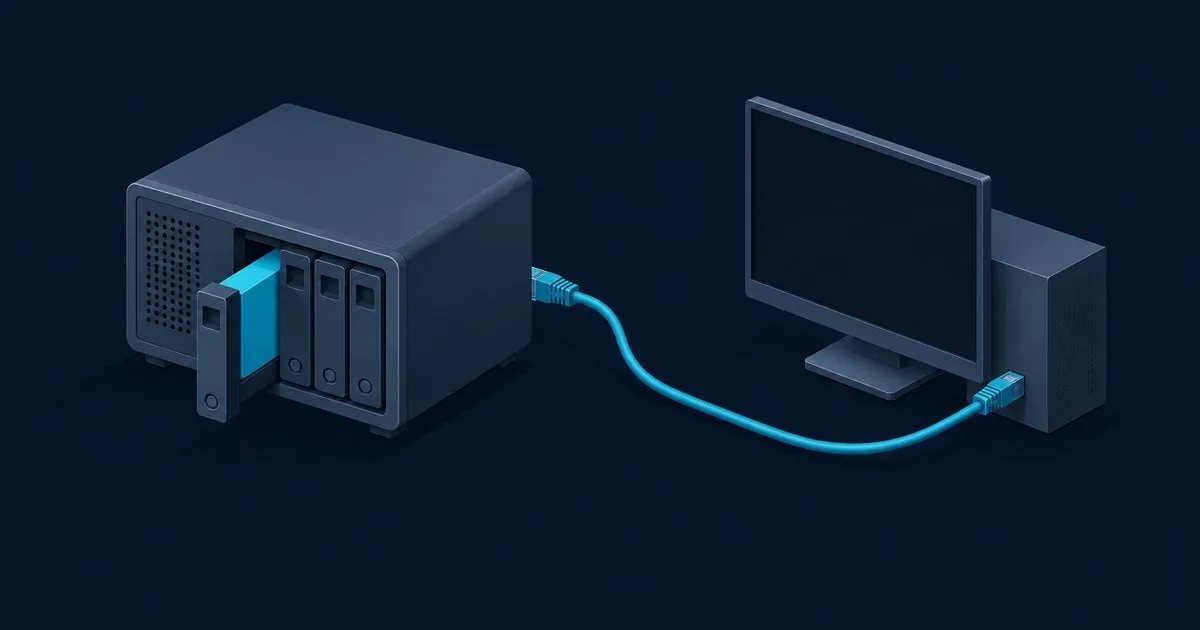
How to set up an iSCSI target on TrueNAS comes down to five steps: create a zvol, run the Block (iSCSI) Shares wizard, restrict the target to one initiator IQN with CHAP, start the iSCSI service, then log in from the client. The clicking takes minutes. Zvol sizing, block size and backups are what hurt later.
The steps follow the TrueNAS 25.10 (Goldeye) docs. That’s the release the TrueNAS software status page recommends for general users, and TrueNAS 26 was still in beta at the time of writing. Labels move between releases, so check the docs for your version.
Who should use iSCSI on TrueNAS, and who should skip it?
Use it when exactly one machine needs something that behaves like a local disk: a Proxmox or ESXi host that wants VM storage, or a Windows box running software that refuses to install to a network share. Skip it if several machines need the same files at once. That job belongs to SMB or NFS, compared in iSCSI vs NFS vs SMB.
A typical homelab version is an N100 mini-PC running Proxmox that pulls VM disks from a TrueNAS box on the same switch. It works, but TrueNAS can’t see inside a zvol, so you lose per-file snapshot browsing, per-file restores and any quota that means something. If the plan is “iSCSI because it’s faster,” test SMB on your own network first.
One rule covers most of the horror stories: one LUN, one host, unless the filesystem on it is cluster-aware.
Step 1: create the zvol and get three settings right the first time
Go to Datasets, select the parent dataset, click Add Zvol, then enter a name and a Size. The TrueNAS zvol screen reference lists the settings fixed after Save: the name, Block Size and Sparse.
- Sparse turns on thin provisioning, and the docs warn that “writes can fail when the pool is low on space.” On a pool that also holds media and backups, leave it off. A thick zvol reserves its space up front, so a runaway download can’t take space your VM needs.
- Block size defaults to 16KiB. TrueNAS picks the default from the number of disks in the pool, and the options run from 4KiB to 128KiB. Keep the default unless you know your workload’s I/O size; tuning it rarely pays off at home.
- Force size allows a zvol larger than 80% of capacity. The docs call that “not recommended,” and TrueNAS has long advised against using more than 80% of available capacity. Leave it unticked.
Start smaller than you think. A zvol can grow later but can’t shrink, and TrueNAS won’t let you grow it past 80% of the pool size.
Step 2: run the Block (iSCSI) Shares wizard
Go to Shares, find the Block (iSCSI) Shares Targets widget and click Wizard. The TrueNAS 25.10 tutorial has three screens:
- Target. Click Create New and name the target. Names are lowercase, up to 64 characters, and dot, dash and colon are the only special characters allowed.
proxmox-vmstoreworks;Proxmox VM Storedoesn’t. - Extent. Name the extent, set Extent Type to Device, then pick the zvol from step 1. For Sharing Platform, the screen reference says VMware, Xen and Legacy OS use 512-byte blocks, and Modern OS uses 4K. Pick Modern OS for a current Windows or Linux client and VMware for ESXi.
- Protocol Options. Create a portal with the NAS address on the network your client uses rather than 0.0.0.0, so the target doesn’t also answer on the management interface. If you leave Initiators blank, any machine that can reach the portal can connect. Paste the client’s initiator name here if you already have it.
Click Save, then accept when TrueNAS offers to start the iSCSI service.
TrueNAS also offers a File extent type, but the TrueNAS iSCSI overview treats zvols as the block device format for iSCSI. Stick with a zvol.
Step 3: restrict the target to one initiator and add CHAP
Get the client’s IQN first. On Linux it’s in /etc/iscsi/initiatorname.iscsi, per the Open-iSCSI README. On Windows it’s on the Configuration tab of the iSCSI Initiator app. Paste it rather than retyping it.
Click the widget header to open the full iSCSI screen, then work through three tabs:
- Initiators: edit the group the wizard created, clear Allow All Initiators, and add the IQN under Allowed Initiators (IQN).
- Authorized Access: add a group with a Group ID, User and Secret. The secret must be 12 to 16 characters. For mutual CHAP, also fill in Peer User and Peer Secret so the client verifies the target too.
- Targets: edit the target, set Authentication Method to CHAP or Mutual CHAP, and choose the matching Authentication Group Number.
CHAP handles authentication, not encryption. RFC 7143 leaves integrity and confidentiality to IPsec. After login, data crosses the wire unencrypted. Keep the portal on a trusted network and port 3260 off the internet.
If you skip the wizard, an extent does nothing until it’s associated with a target. Open the target, click Associate in its Extents widget, and pick the extent. The LUN ID is optional (0 to 1023); if blank, TrueNAS assigns the next free one.
Step 4: connect from Linux or Windows
On Linux with open-iscsi, discovery prints the full target IQN: the global base name, a colon, then your target name. Set CHAP on that node record, then log in:
PORTAL=192.168.20.10
TGT="paste-target-iqn-from-discovery-output"

sudo iscsiadm -m discovery -t st -p "$PORTAL"

sudo iscsiadm -m node -T "$TGT" -p "$PORTAL" --op update -n node.session.auth.authmethod -v CHAP
sudo iscsiadm -m node -T "$TGT" -p "$PORTAL" --op update -n node.session.auth.username -v proxmox01
sudo iscsiadm -m node -T "$TGT" -p "$PORTAL" --op update -n node.session.auth.password -v 'your-12-to-16-char-secret'

sudo iscsiadm -m node -T "$TGT" -p "$PORTAL" --login
sudo iscsiadm -m node -T "$TGT" -p "$PORTAL" --op update -n node.startup -v automatic
lsblk
The Open-iSCSI README uses the node.startup update to make a session log in at boot. Run lsblk before you partition anything, because mkfs on the wrong /dev/sdX destroys its data. Mount the disk through /etc/fstab by UUID with _netdev, which tells systemd the mount needs the network, so it waits for the network before mounting:
UUID=<uuid-from-blkid> /mnt/iscsi ext4 _netdev,nofail 0 0On Windows, follow the TrueNAS client guide. On the Discovery tab, click Discover Portal and enter the portal IP. Add CHAP credentials under Advanced, click Connect on the Targets tab, then create a New Simple Volume in Disk Management. To host the target on Windows instead, see iSCSI target setup on Windows Server.
If discovery comes back empty or login hangs, work through iSCSI troubleshooting for login, timeout and path errors.
Storage and backups: the part that bites at month nine
A zvol on a mirror or RAIDZ pool survives a dead disk. It doesn’t protect against your own mistakes, a bad update inside the VM, or ransomware on the client.
- Snapshots. In Data Protection, add a Periodic Snapshot Task for the zvol. Zvol snapshots are crash-consistent, meaning the disk looks as if the power was cut at that moment. Journaling filesystems handle that; dump databases first.
- Replication. Snapshots on the same pool aren’t a backup. Add a Replication Task to a second box, even an old NAS. The cloud is fine for file backups, but a zvol replication stream needs ZFS on the receiving end.
- The restore drill. Test a restore before you need one: use Clone to New Dataset on last night’s zvol snapshot, and the clone appears as a new zvol. Extents can be set to Read-only, so on a second target, point a read-only extent’s Device field at the clone. Log in from a spare VM and open some files; ext4 needs
mount -o ro,noload. Do this now, then every quarter. - Space alerts. Set Pool Available Space Threshold (%) in the iSCSI global configuration. If a sparse zvol’s pool fills, the guest sees write errors on what it thinks is a local disk.
- Growing. Raise Size for this zvol, then rescan on the client and grow the partition and filesystem. TrueNAS can’t do the client side.
Networking and day-two operations
Bind the portal to one address, ideally on a storage VLAN or a second NIC. Link aggregation won’t speed up a single iSCSI session. For redundancy you want multipath, which iSCSI fundamentals: targets, LUNs and MPIO explains. The TrueNAS docs say to test jumbo frames in a lab first. Unless you’ve measured a problem at 1500 bytes, leave the MTU there. A mismatched MTU causes the classic failure: login works but large copies stall.
Ignore the ALUA option. The TrueNAS services docs describe it as an Enterprise feature that clients must also support and enable.
A TrueNAS update reboots the NAS, which clients see as an unplugged disk. Stop the VMs first, update, confirm the widget shows RUNNING, then bring the clients back. Afterwards, check that snapshots are still arriving on the second box.
FAQ
should you use a zvol or a file extent for truenas iscsi
Use a zvol. TrueNAS documents the zvol as the block device format used with iSCSI, and a Device extent pointed at a zvol gets you ZFS snapshots, replication and resizing from the Datasets screen. File extents exist for special cases, such as reusing an existing image file, but add a filesystem layer you don’t need.
can two computers share the same truenas iscsi lun
Not safely, unless the filesystem on the LUN is cluster-aware, such as VMFS on ESXi hosts. iSCSI hands out raw blocks with no server-side locking, so two Windows or Linux machines mounting the same NTFS or ext4 volume will corrupt each other’s metadata. If several machines need the same files, use SMB or NFS.
what port does truenas iscsi use
TrueNAS listens for iSCSI logins on TCP port 3260 by default, the standard iSCSI port; change it under iSCSI listen port in the global configuration. Allow 3260 only between the initiator and the portal address on your storage network, and never forward it through your router to the internet.
why can’t a client connect to the truenas iscsi target
Usually the iSCSI service is stopped, the portal listens on a different IP than the one you’re querying, or the initiator group doesn’t list the client’s exact IQN. Check that the widget shows RUNNING, confirm the portal address, then compare IQNs character by character. Unless discovery authentication is on, a CHAP mismatch fails at login instead.
Related across the network
- Which Share Type to Use in TrueNAS: SMB, NFS or iSCSI — truenasguide.com
- iSCSI vs NFS for VMware Datastores: Which to Pick — sanstorageguide.com


